Add KSugerir to your phone's home screen so it opens like an app, in just a few taps.
Android devices
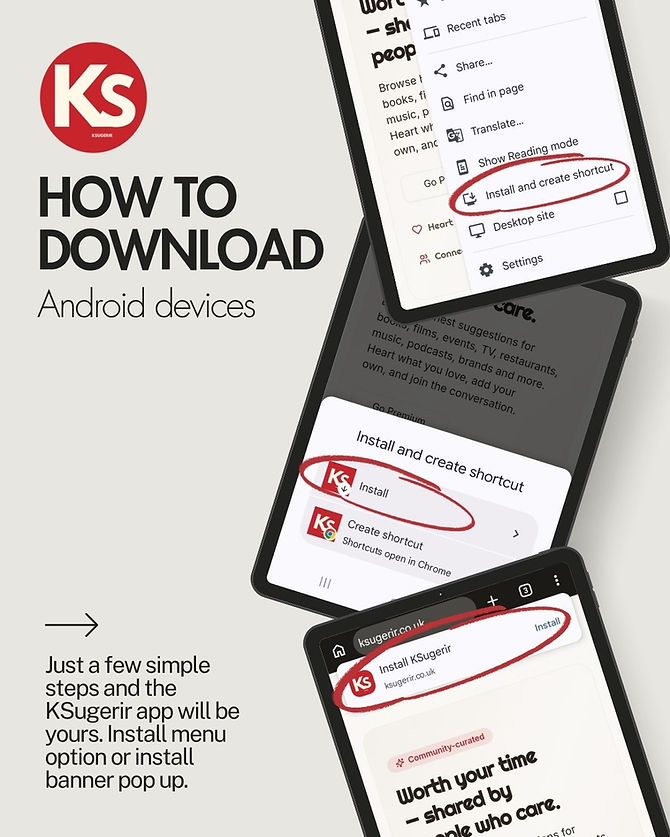
Open KSugerir in Chrome, tap and choose Install and create shortcut, then confirm with Install. You can also use the install banner that appears in the browser bar.
Apple / iOS devices
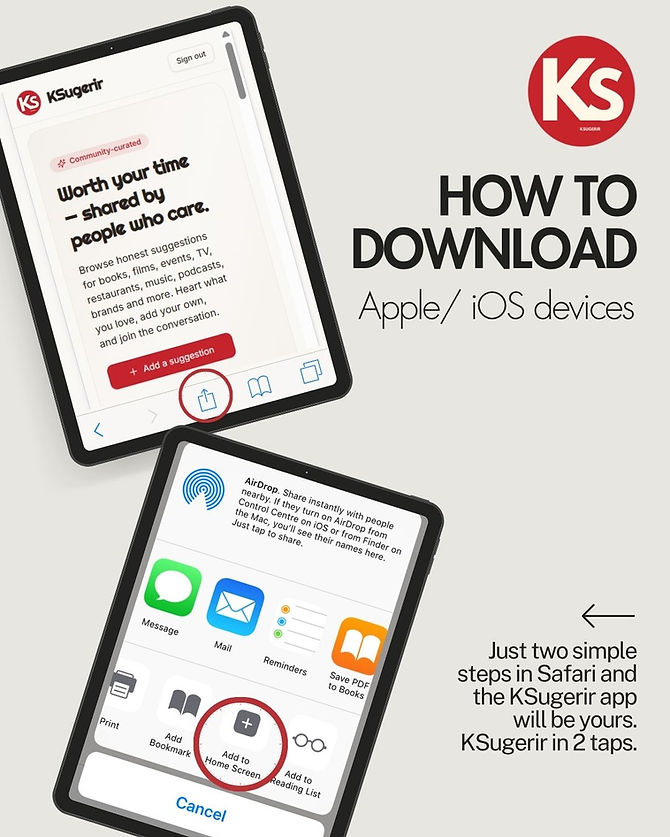
Open KSugerir in Safari, tap the Share button, then choose Add to Home Screen. Just two taps and KSugerir is yours.